00+
Solitaire
Klondike solitaire3-minute sprint or untimed
Getting your game ready…

Visual novel2–3 min12+
Loading game…
Tap or press Space to read on. Every choice brings you closer to someone.
Tap, Space or Enter to read on. Pick a choice by tapping it or pressing 1 to 3. L opens the story so far, A turns auto on, S skips lines you have already read (or hold Ctrl), P pauses.
P or Esc pauses
Stamps are worked out from the progress and records kept in this browser. They are not linked to your account yet, so another device or browser starts a street of its own.
Sign in to comment.
Loading…
See You Tomorrow is a short visual novel about your first week at Floor Nine, a busy design studio. Each episode is one scene of two or three minutes: you read, you make a few choices, and the scene ends on a reason to come back tomorrow. It has four stories and 39 episodes in all: Floor Nine with twelve, then Night Bakery, The Tide Inn and Understudy with nine each. Each one opens the day after you first finish the one before it: one new scene a day, and the end card tells you when the next one is ready.
Tap anywhere, or press Space or Enter, to read on. The first press finishes the line being written, the next one moves on; a long line turns its page first. At a few moments the story stops for a choice: tap one of the buttons, or press its number. What you choose changes how close you grow to the people around you. When someone will remember what you said, a heart rises beside them and a short line says so. There are no numbers to watch and no wrong answers.
The list button at the top opens everything you have read so far. The play button turns on auto mode, which reads on by itself after a pause long enough to finish the line. The skip button (or S, or holding Ctrl) races through lines you have read before and stops at the first new one or at a choice. Pause from the top right, or with P or Esc.
Each Floor Nine episode has three endings, one for each of Khải, Quân and Vy; the other three stories have two characters each, so two endings an episode. In episode one, the person you spent the day closest to is the one you meet on the roof at sunset; in episode two, it is the one who stays late with you; in episode three, it is the one you make Saturday plans with; in episode four, it is the one who opens up to you at the café that Saturday; in episode five, it is the one who paints the café's new sign with you; in episode six, it is the one who checks that sign with you before it goes out; in episode seven, it is the one who helps you write a reply late at night; in episode eight, it is the one who calls the café owner back with you; in episode nine, it is the one you leave the café with after meeting Thảo; in episode ten, it is the one who stays late with you to find out who has been helping her; in episode eleven, it is the one you stand beside in the team photo; in episode twelve, it is the one who helps you check the new intern's first menu. Afterwards a few messages from them arrive on your phone. Each ending you reach is kept as a moment, and the end card counts how many of the story's moments you have found (thirty-six in Floor Nine). You can go back to an earlier episode from the end card at any time. Read the episode again and choose differently to meet the others. Nothing is scored and there is no leaderboard.
Klondike solitaire3-minute sprint or untimed

Bubble shooter1–3 min

Eat-and-grow arcade1–3 min

Match-3, level-based2–5 min
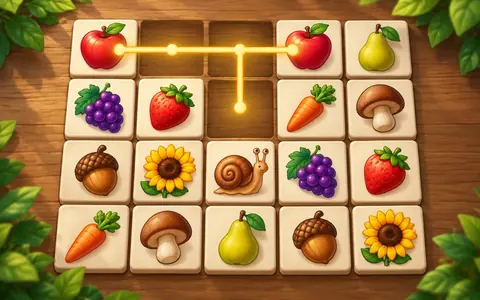
Mahjong-connect2–3 min

Grapple-timing arcade2–3 min